

Grimoire
An open-source Android reader for novels of all kinds, from light novels and web novels to your own EPUB collection.
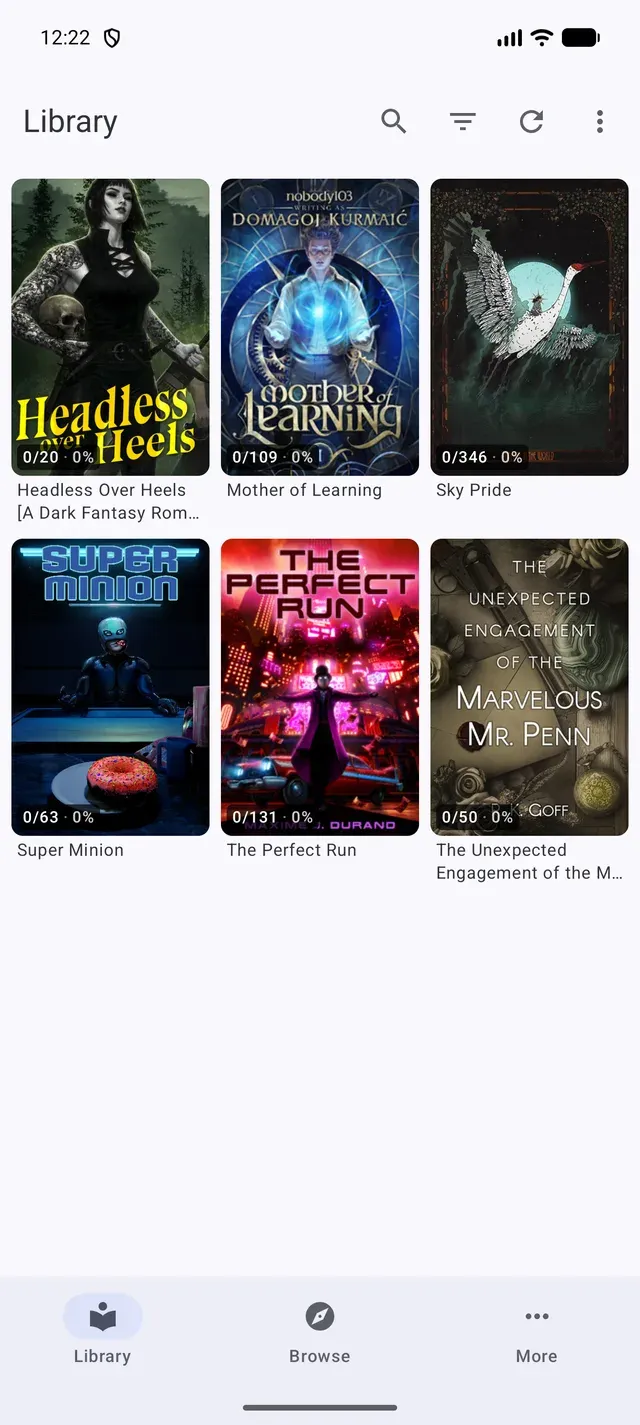
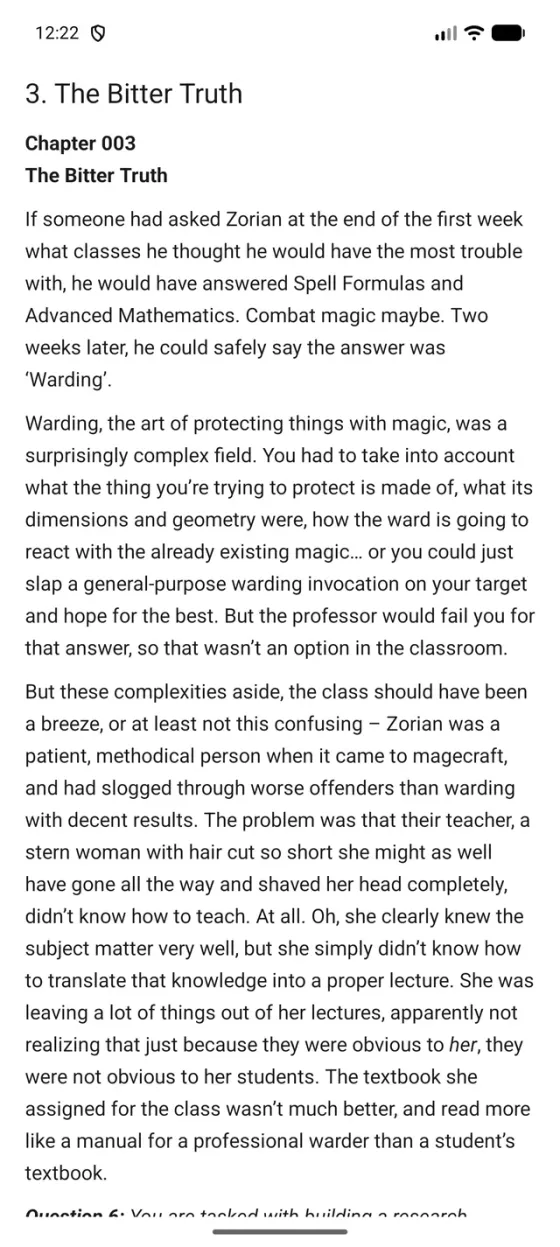
Books from websites and your own collection
Read from supported novel websites or import your own EPUB books. Keep them together in one library.
-
Read or listen
Adjust fonts, colors, and spacing, or let your phone read chapters aloud.
-
Take books offline
Download chapters or keep EPUBs on your phone to read without an internet connection.
-
Keep your library organized
Group your books, resume where you stopped, and follow new chapter releases.
All features
Find books
Read from novel websites inside Grimoire. Connect a website by installing its small add-on, called an extension.
- Search for books on websites you've added
- Filter results from a website
- Browse popular and newly added books
- Keep favorite websites easy to reach
- Preview a book before opening it
- Browse the included add-on catalog Choose which websites to add; nothing is installed automatically
- Add more website add-on catalogs Extra collections of add-ons for novel websites
- Add an add-on catalog from a link
- Install add-ons from private GitHub catalogs Requires access through your GitHub account
- Install and update add-ons for novel websites
- Find add-ons by name or language
- Check add-ons downloaded correctly When verification data is provided
- Sign in to a novel website On websites whose add-ons support sign-in
- Read chapters your account has unlocked When the website's add-on supports account access
- Adjust settings for each website
- Switch to another address for the same site For websites that offer alternative addresses
- Choose which book languages to show
- Get ebook files from connected websites EPUB ebook files, where supported
- Open a website without leaving Grimoire
- Open website verification in a browser For screens asking you to confirm you are human
Your library
Keep your books together, organize them, and see when new chapters arrive.
- Organize books into categories
- Search saved books
- Filter saved books By website, format, or whether a book is finished
- Sort your library
- Switch between grid and list
- Change the number of book-cover columns
- Show progress and ratings on book covers Also shows download counts
- Manage several books at once
- Rate books yourself
- Edit book details
- Choose custom covers
- Import your own ebook files EPUB ebook files
- Open ebook files from other apps EPUB ebook files
- Check for new chapters automatically
- Get notified when new chapters arrive
- See new chapters from your saved books
- Review update problems
- Search and sort chapters
- Jump to a chapter
- Select a range of chapters
- See recently read chapters
- See recently browsed books
- View reading statistics
- Move a book to a different website Reading progress transfers for chapters that match
- Share a book as an image Create a picture with the book details
- Keep saved books when removing an add-on
Reading
Make chapters comfortable to read and return to the place you stopped.
- Multiple reading themes
- Choose a font
- Adjust text size
- Adjust line and paragraph spacing
- Align text for each book
- Read right-to-left text
- Lock screen rotation
- Hide the status bar
- Scroll through chapters
- Resume where you stopped
- Show chapter and book progress
- Mark chapters read automatically
- Read formatted text Bold, italics and links
- Zoom, save and share images
- Select and copy text
- Open the original chapter page
- Preview reader settings
Listening
Have chapters read aloud using your phone's voices or your own ElevenLabs account.
- Read chapters aloud
- Use your phone's built-in voices
- Listen with ElevenLabs voices Your own account; setup and internet required
- Choose voices by book language
- Preview a voice
- Install extra voices on your phone
- Adjust reading speed and voice pitch Pitch control uses your phone's voices
- Keep listening across chapters
- Highlight text as it is spoken
- Listen with the screen off
- Control playback from notifications
- Use headset playback buttons
- Check ElevenLabs usage
- Replay speech you've already listened to Recent ElevenLabs audio is kept temporarily
Read offline
Save chapters or whole ebook files to read without internet.
- Download chapters and images
- Download all or unread chapters
- Download new chapters automatically
- Manage chapter downloads
- Pause and resume downloads
- Download chosen chapters first
- Choose how many downloads run at once Controls how many chapters download at the same time
- Retry failed downloads
- Keep downloading in the background
- Download whole ebook files EPUB ebook files from supported websites
- Save downloaded chapters as an ebook Creates an EPUB ebook file
Discover more books
Browse rankings, reviews and new releases from the NovelUpdates website.
- Browse book rankings
- Browse latest releases
- Search by genre, tags and more
- Read book details and reader reviews
- Bookmark books to look up later These bookmarks are separate from your library
- Find a book on your connected websites
- Show NovelUpdates details for a book When a matching book listing is found
Backups and storage
Save your book list, progress and settings. Downloaded chapters and ebook files are not included in backups.
History and hidden books
Pause history, hide books in locked categories, and keep chapter images out of view.
Appearance and language
Choose the app's colors, book-list layout, and language.
App updates
Get new app versions and see how downloads and other background work are progressing.
No features match your search.
What each connected website can do depends on its add-on. Grimoire is not affiliated with NovelUpdates or ElevenLabs.
Open source
Grimoire's code is public on GitHub. Read how it works, report a problem, or help improve the app and its add-ons for novel websites.
Download Grimoire
For Android 8.0 and later.